PDF Translation Is Here: The Whole Document, With Its Layout Kept
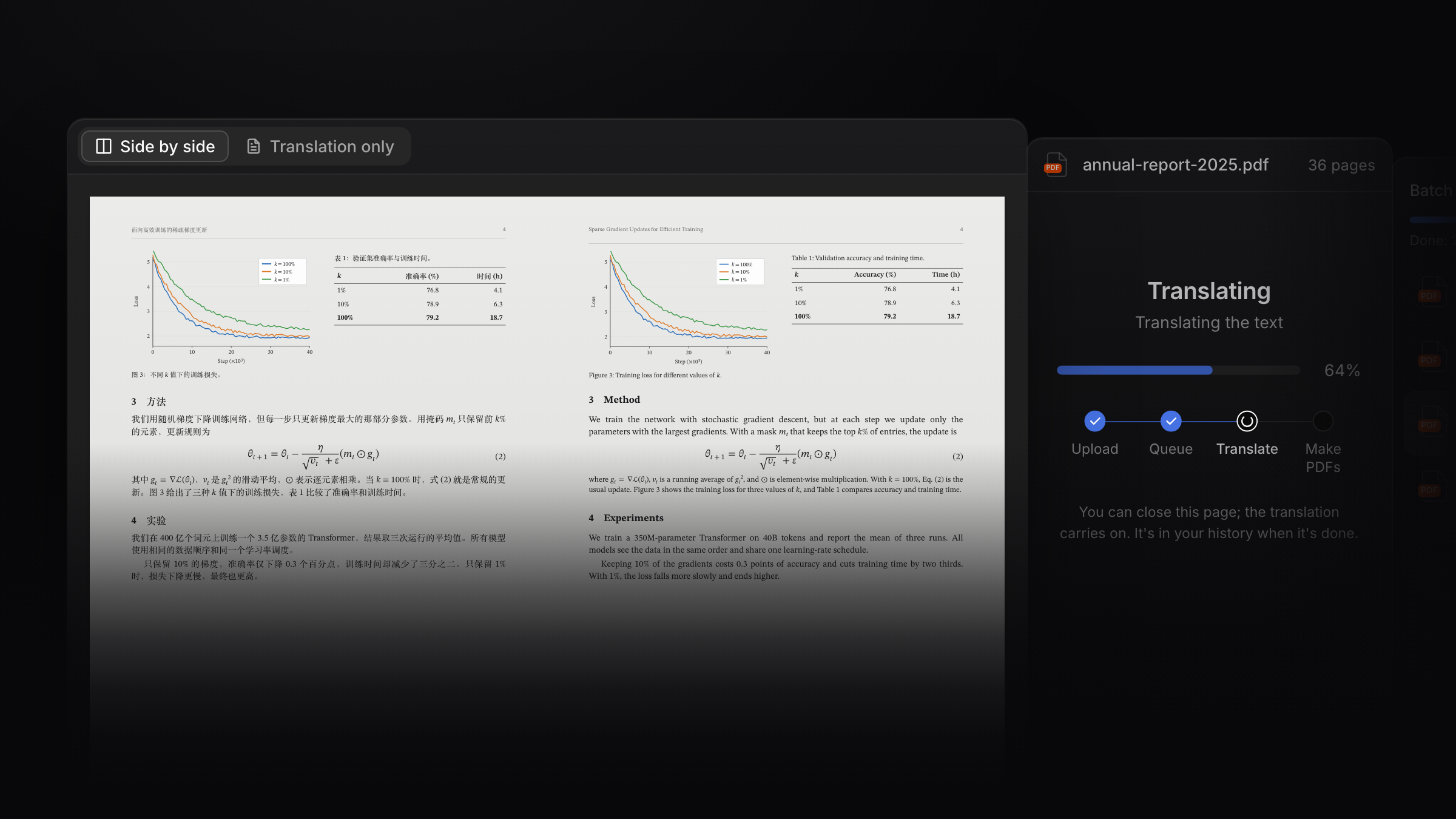
PDF translation is now open to every Read Frog account. Upload a PDF on the PDF translation page and Built-in AI translates the whole document. Read it side by side online, then download it.
Here it is in 40 seconds:
The layout stays where it was: formulas are kept as they are, tables are translated cell by cell, and figures keep their captions on the same page.
One translation, two versions: Side by side puts each original page next to its translation. Translation only keeps the original's pages and layout, in your language.
Up to 10 PDFs at a time: each up to 100 pages and 50 MB, into 13 languages. The translation runs on our servers, so you can close the tab and open it later from your translation history.
Pro now includes Built-in AI for every feature, not only Custom AI Actions. Page and selection translation, subtitle translation, PDF translation and the rest share one weekly allowance, about 7 million tokens a month, with no API key to set up. For PDFs alone, that's about 1,000 pages a month.
🎁 Launch bonus: start a Pro or Ultra subscription, monthly or yearly, before November 15 and get extra Built-in AI credit worth about 7 million tokens, on top of the weekly allowance. It works for web page, subtitle and PDF translation and every other Built-in AI feature, and lasts a month from the day you subscribe.